CLI wrapper for the ActivitySmith API using the official Node SDK.
- Install
- Agent Skill
- Auth
- Push Notifications
- Live Activities
- Channels
- Widgets
- Aliases
- Content State Options
- Output
npm install -g activitysmith-cli
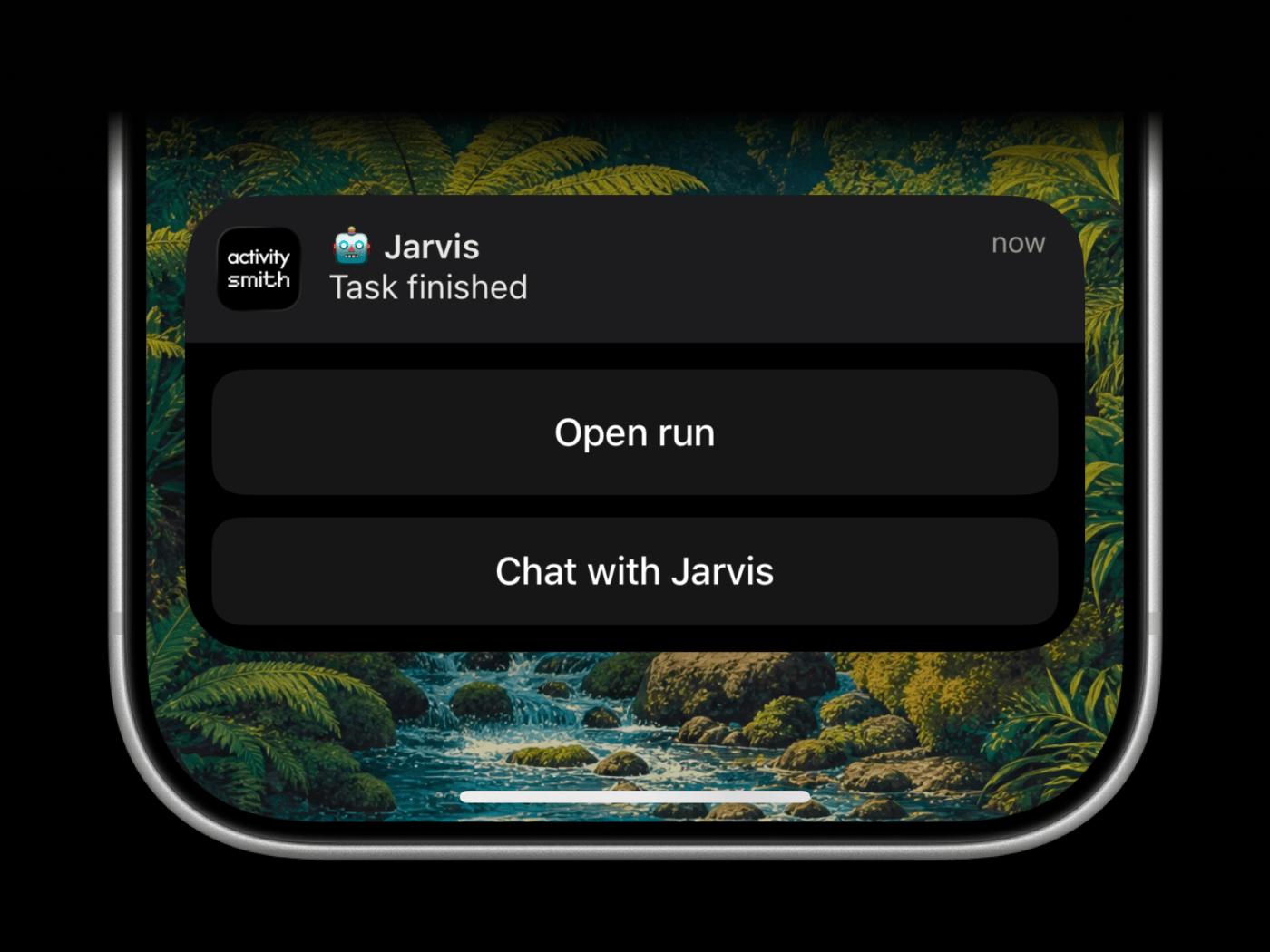
The ActivitySmith skill helps coding agents decide when and how to notify you.
Use it for prompts like:
- "Notify me when you're done."
- "Send me a push notification if you get blocked."
- "When the task finishes, the notification tap should run my Test Shortcut."
- "Show progress on my Lock Screen while you work."
The skill maps those requests to the CLI:
- Push Notifications for completion, blockers, and review requests
shortcuts://redirection for a specific iPhone Shortcut- action buttons for follow-up links or Shortcut buttons
- Live Activities for long-running progress
- widget metrics for values that should stay visible
Install the public skill from this repo:
npx -y skills@latest add ActivitySmithHQ/activitysmith-cli --skill activitysmithSkill path in this repo:
skills/activitysmith
The skill is agent-neutral and recipe-driven. It uses ACTIVITYSMITH_API_KEY auth plus the same CLI commands shown below.
Set ACTIVITYSMITH_API_KEY or pass --api-key.
For the skill scripts, you can also copy skills/activitysmith/.env.example to skills/activitysmith/.env.
Run activitysmith --help to inspect available commands.
activitysmith push \
  --title "Build Failed 🚨" \
  --message "CI pipeline failed on main branch"
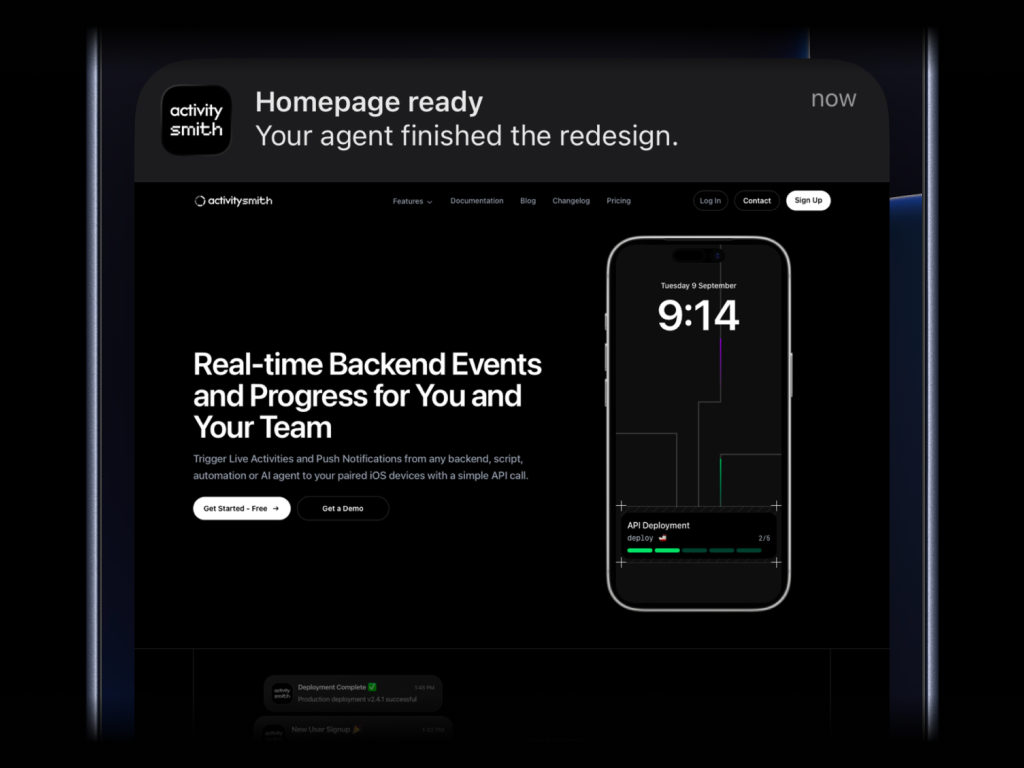
activitysmith push \
  --title "Homepage ready" \
  --message "Your agent finished the redesign." \
  --media "https://cdn.example.com/output/homepage-v2.png" \
  --redirection "https://github.com/acme/web/pull/482"
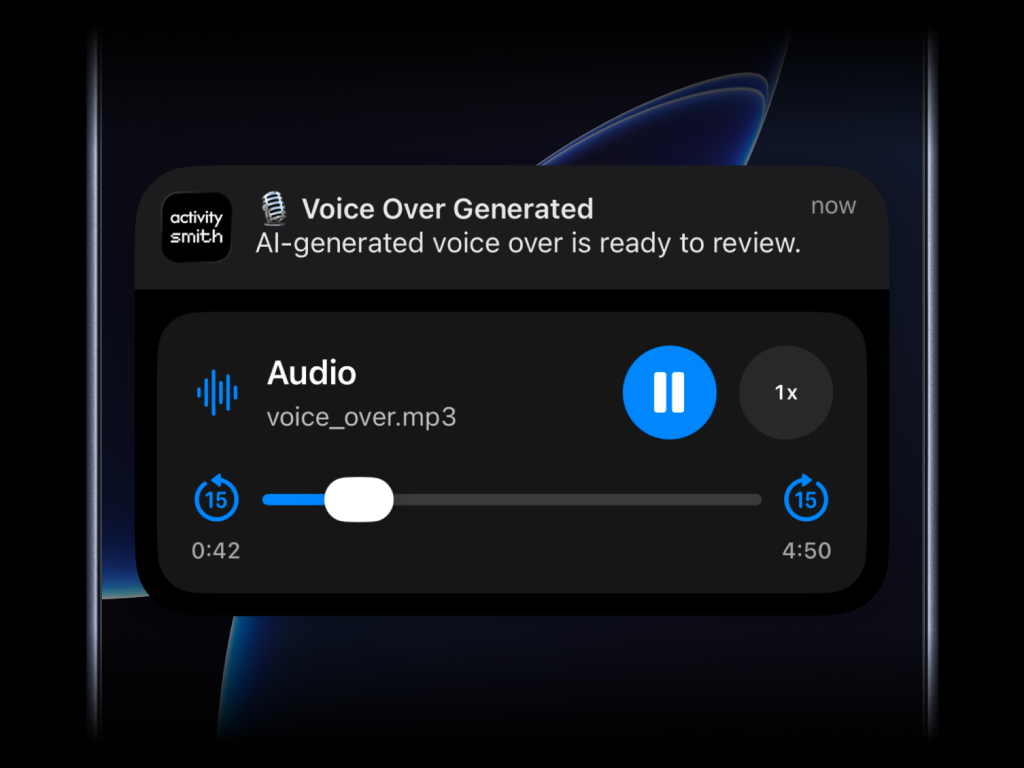
Send images, videos, or audio with your push notifications, press and hold to preview media directly from the notification, then tap through to open the linked content.
What will work:
- direct image URL:
.jpg,.png,.gif, etc. - direct audio file URL:
.mp3,.m4a, etc. - direct video file URL:
.mp4,.mov, etc. - URL that responds with a proper media
Content-Type, even if the path has no extension
--media can be combined with --redirection, but not with --actions or --actions-file.
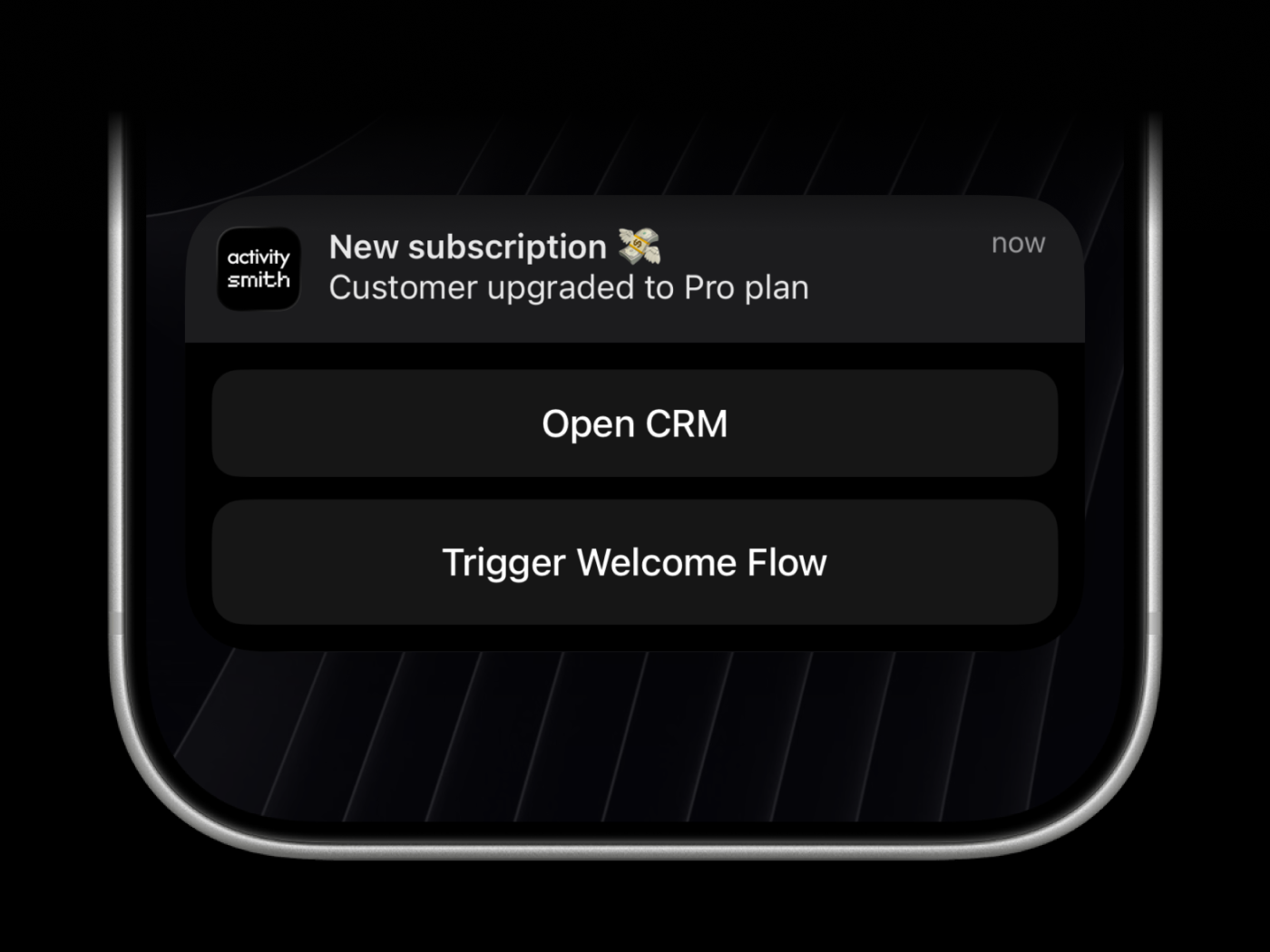
Push notification --redirection and --actions are optional. Use them to open HTTPS URLs, run a specific iPhone Shortcut with a shortcuts://run-shortcut?name=... URL, or trigger backend webhook workflows.
Webhooks are executed by the ActivitySmith backend.
activitysmith push \
  --title "Build Failed 🚨" \
  --message "CI pipeline failed on main branch" \
  --redirection "https://github.com/org/repo/actions/runs/123456789" \
  --actions '[
    {
      "title": "Open Failing Run",
      "type": "open_url",
      "url": "https://github.com/org/repo/actions/runs/123456789"
    },
    {
      "title": "Chat with Jarvis",
      "type": "open_url",
      "url": "shortcuts://run-shortcut?name=Jarvis"
    },
    {
      "title": "Create Incident",
      "type": "webhook",
      "url": "https://hooks.example.com/incidents/create",
      "method": "POST",
      "body": {
        "service": "payments-api",
        "severity": "high",
        "source": "activitysmith-cli"
      }
    }
  ]'
You can also load actions from a file:
activitysmith push \
  --title "Build Failed 🚨" \
  --message "CI pipeline failed on main branch" \
--actions-file "./actions.json"There are six types of Live Activities:
stats: best for showing business numbers side by side, such as revenue, sales, new users, conversion, refunds, or any other value you want visible at a glancemetrics: best for live percentage values that change often, like server CPU, memory usage, disk usage, or error ratesegmented_progress: best for anything that moves through clear stages, like deployments, onboarding flows, backups, ETL pipelines, migrations, and AI agent runsprogress: best for tracking real-time progress with percentage, like tasks, backups, migrations, syncs, or uploadsalert: best for status updates, such as feature adoption, reactivation, onboarding blockers, incidents, escalations, and other operational statestimer: best for countdowns and elapsed runtime, like benchmark runs, uploads, backups, transcodes, and long-running jobs
Use a stable stream_key to identify the metric, job, deployment, or system you want to keep visible. The first activity stream command starts the Live Activity. Later commands with the same stream_key update it.
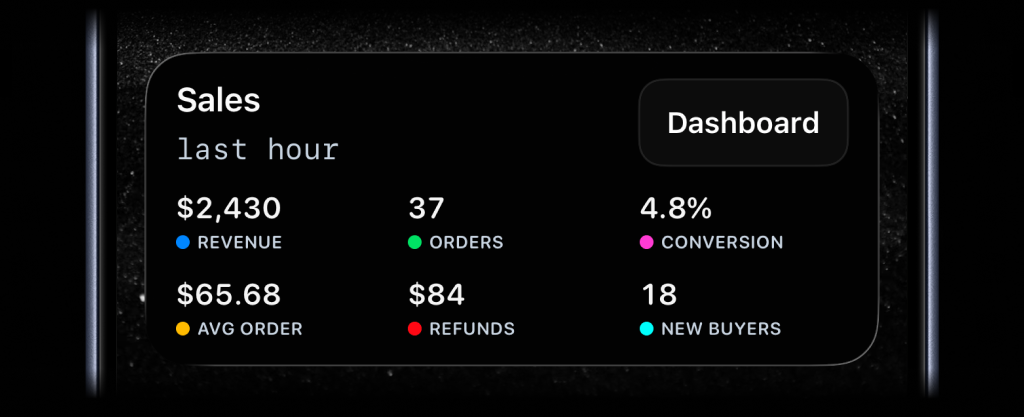
activitysmith activity stream sales-hourly \
  --content-state '{
    "title": "Sales",
    "subtitle": "last hour",
    "type": "stats",
    "metrics": [
      { "label": "Revenue", "value": "$2430", "color": "blue" },
      { "label": "Orders", "value": "37", "color": "green" },
      { "label": "Conversion", "value": "4.8%", "color": "magenta" },
      { "label": "Avg Order", "value": "$65.68", "color": "yellow" },
      { "label": "Refunds", "value": "$84", "color": "red" },
      { "label": "New Buyers", "value": "18", "color": "cyan" }
    ]
  }'
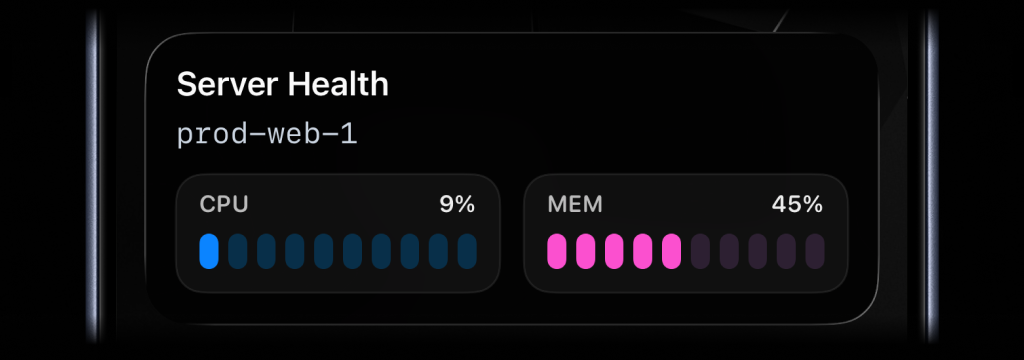
activitysmith activity stream prod-web-1 \
  --content-state '{
    "title": "Server Health",
    "subtitle": "prod-web-1",
    "type": "metrics",
    "metrics": [
      { "label": "CPU", "value": 9, "unit": "%" },
      { "label": "MEM", "value": 45, "unit": "%" }
    ]
  }'
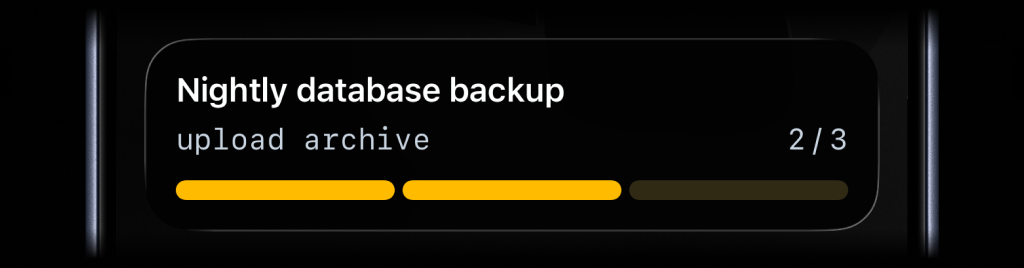
activitysmith activity stream nightly-backup \
  --content-state '{
    "title": "Nightly Backup",
    "subtitle": "upload archive",
    "type": "segmented_progress",
    "numberOfSteps": 3,
    "currentStep": 2
  }'
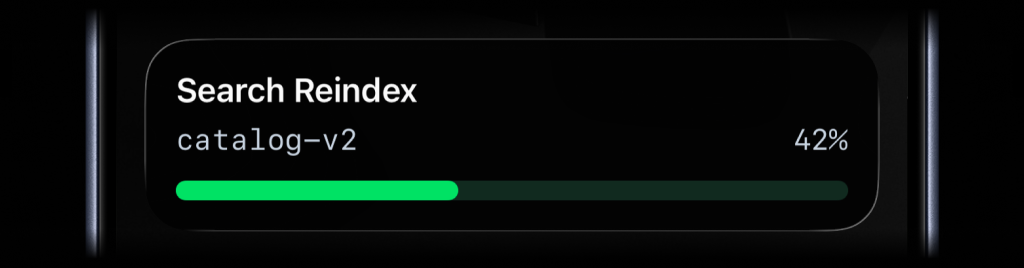
activitysmith activity stream search-reindex \
  --content-state '{
    "title": "Search Reindex",
    "subtitle": "catalog-v2",
    "type": "progress",
    "percentage": 42
  }'
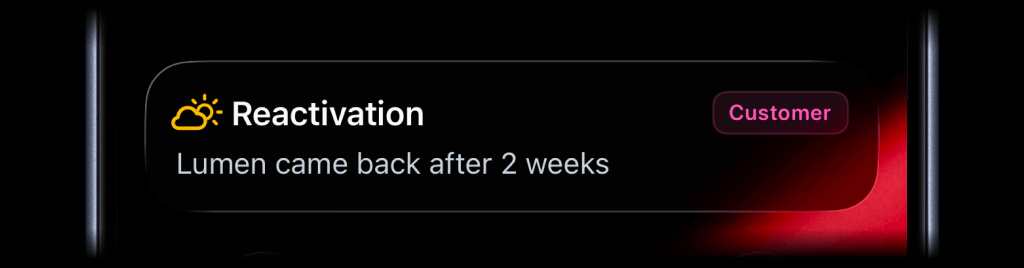
activitysmith activity stream customer-ops \
  --content-state '{
    "title": "Reactivation",
    "message": "Lumen came back after 2 weeks",
    "type": "alert",
    "icon": {
      "symbol": "cloud.sun",
      "color": "yellow"
    },
    "badge": {
      "title": "Customer",
      "color": "magenta"
    }
  }'
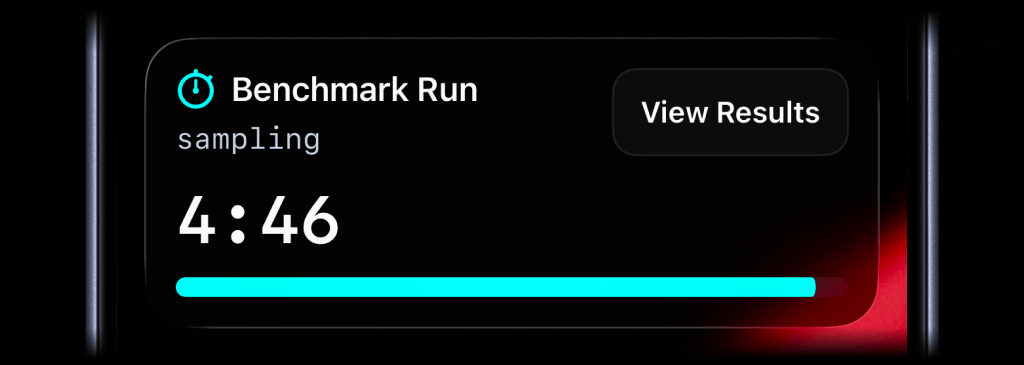
activitysmith activity stream benchmark-run \
  --content-state '{
    "title": "Benchmark Run",
    "subtitle": "sampling",
    "type": "timer",
    "durationSeconds": 300,
    "color": "cyan"
  }'
For a countdown, send duration_seconds. You can update title, subtitle, color, or any other visible field as the work changes. Leave duration_seconds out unless you want to change the timer.
To start at 00:00 and count up, set counts_down: false and leave out duration_seconds.
Call activity end-stream with the same stream_key to dismiss the Live Activity. You can include final values before it is removed. By default, iOS removes the Live Activity after two minutes. Set autoDismissMinutes to choose a different dismissal time, including 0 for immediate dismissal.
activitysmith activity end-stream prod-web-1 \
  --content-state '{
    "title": "Server Health",
    "subtitle": "prod-web-1",
    "type": "metrics",
    "metrics": [
      { "label": "CPU", "value": 7, "unit": "%" },
      { "label": "MEM", "value": 38, "unit": "%" }
    ],
    "autoDismissMinutes": 2
  }'
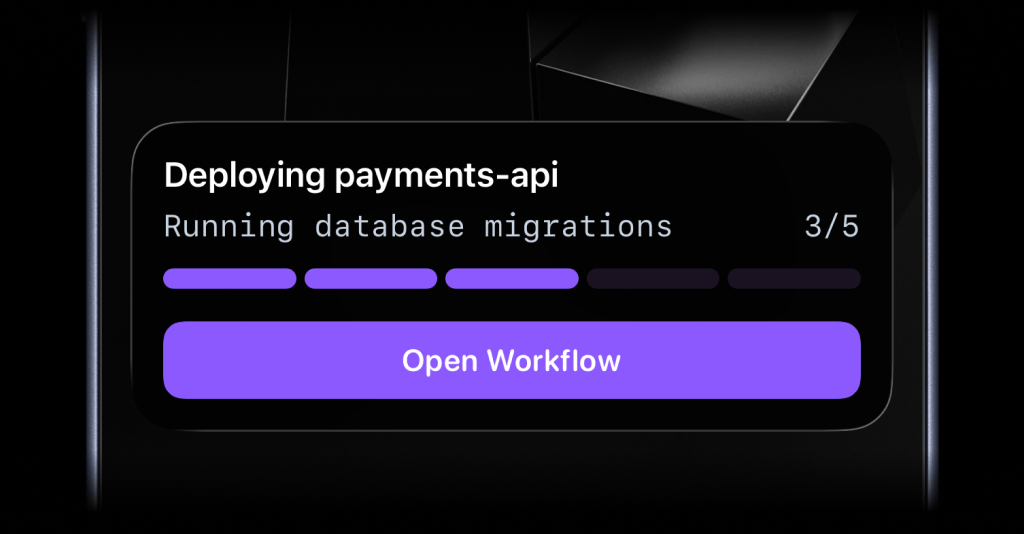
Live Activities can include one optional action button.
open_url: open an HTTPS URL.open_urlwith ashortcuts://URL: run an Apple Shortcut, for example to open an app.webhook: trigger a backend GET/POST workflow.
activitysmith activity stream prod-web-1 \
  --content-state '{
    "title": "Server Health",
    "subtitle": "prod-web-1",
    "type": "metrics",
    "metrics": [
      { "label": "CPU", "value": 76, "unit": "%" },
      { "label": "MEM", "value": 52, "unit": "%" }
    ]
  }' \
  --action '{
    "title": "Dashboard",
    "type": "open_url",
    "url": "https://ops.example.com/servers/prod-web-1"
}'activitysmith activity stream deploy-payments-api \
--content-state '{
"title": "Deploying payments-api",
"subtitle": "Running database migrations",
"type": "segmented_progress",
"numberOfSteps": 5,
"currentStep": 3
}' \
--action '{
"title": "Chat with Jarvis",
"type": "open_url",
"url": "shortcuts://run-shortcut?name=Jarvis"
}'activitysmith activity stream search-reindex \
--content-state '{
"title": "Reindexing product search",
"subtitle": "Shard 7 of 12",
"type": "segmented_progress",
"numberOfSteps": 12,
"currentStep": 7
}' \
--action '{
"title": "Pause Reindex",
"type": "webhook",
"url": "https://ops.example.com/hooks/search/reindex/pause",
"method": "POST",
"body": {
"job_id": "reindex-2026-03-19",
"requested_by": "activitysmith-cli"
}
}'Add more context to Live Activities with icons and badges.
Supported Live Activity types: stats, metrics, progress, segmented_progress, and alert.
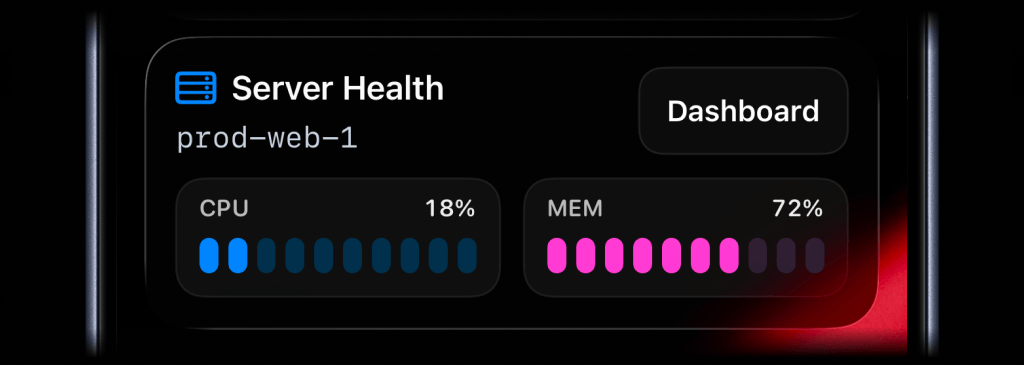
activitysmith activity stream prod-web-1 \
  --content-state '{
    "title": "Server Health",
    "subtitle": "prod-web-1",
    "type": "metrics",
    "icon": { "symbol": "server.rack", "color": "blue" },
    "metrics": [
      { "label": "CPU", "value": 18, "unit": "%" },
      { "label": "MEM", "value": 42, "unit": "%" }
    ]
  }'
The icon.symbol value is an Apple SF Symbol name. Browse the catalog with one of these tools:
- ActivitySmith app - Open Settings -> SF Symbols to browse 45 hand-picked icons ready to use
- SF Symbols - Apple's official macOS app
- Interactful - free third-party iOS app listing all SF Symbols under Foundations -> Iconography
Badges are supported by alert, progress, and segmented_progress Live Activities.
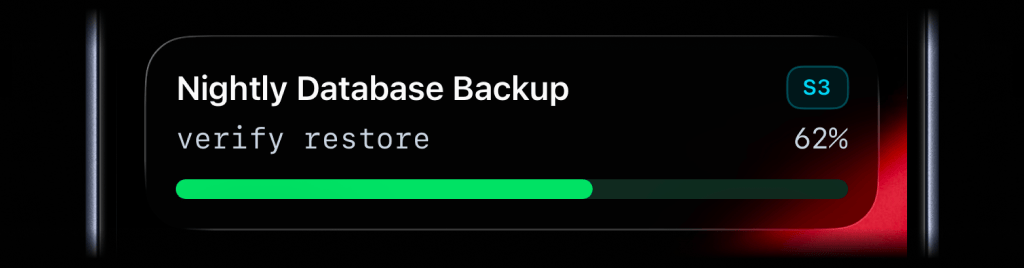
activitysmith activity stream nightly-database-backup \
  --content-state '{
    "title": "Nightly Database Backup",
    "subtitle": "verify restore",
    "type": "progress",
    "badge": { "title": "S3", "color": "cyan" },
    "percentage": 62
}'Choose from these colors for the Live Activity accent, including progress bars and action buttons, or apply them to an individual icon or badge:
lime, green, cyan, blue, purple, magenta, red, orange, yellow, gray
Channels are used to target specific team members or devices. Can be used for both push notifications and live activities.
activitysmith push \
  --title "Build Failed 🚨" \
  --message "CI pipeline failed on main branch" \
  --channels "devs,ops"
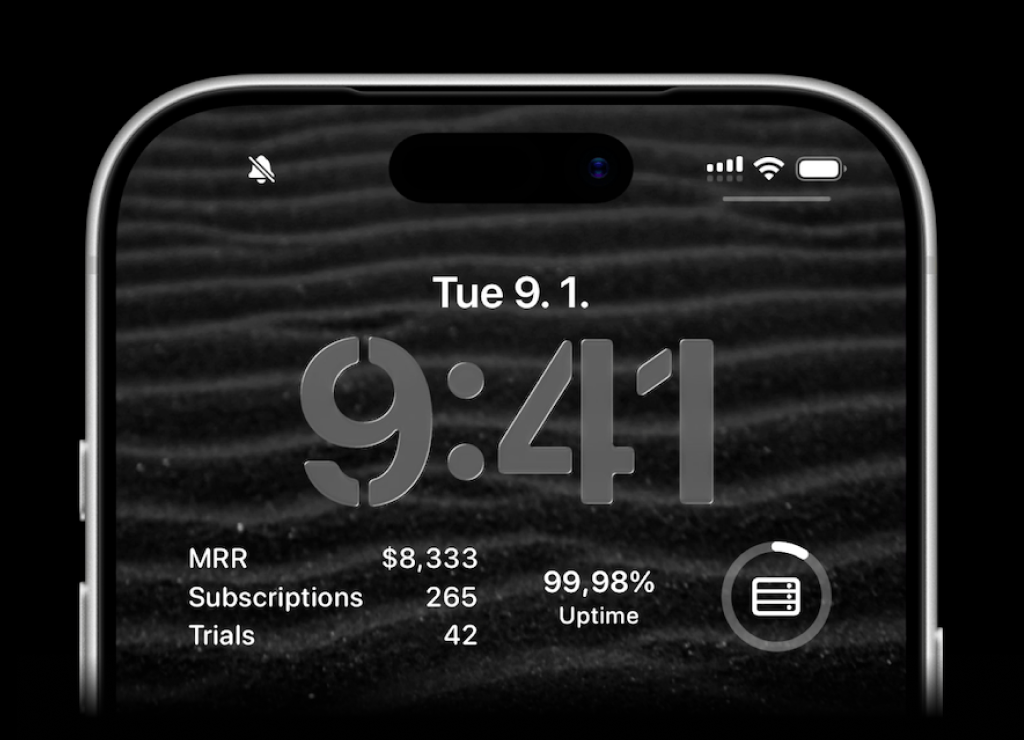
ActivitySmith lets you display any value on your Lock Screen with widgets - SaaS metrics, revenue, signups, uptime, habits, or anything else you want to track. Create a metric in the web app, then update the metric value using our API, add a widget to your lock screen and it will fetch the latest update automatically.
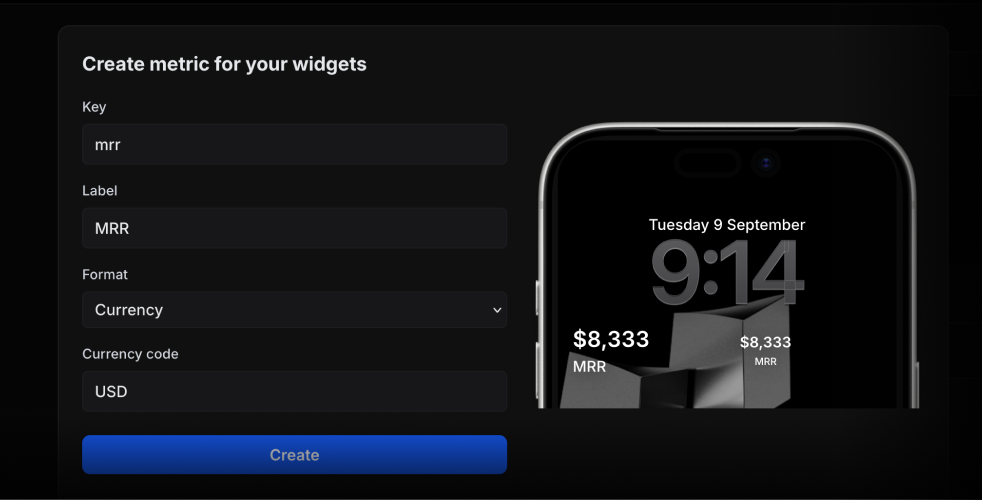
Use the metric key to update its value.
activitysmith metrics update deploy.success_rate 99.9String metric values work too.
activitysmith metrics update prod.status healthyThe CLI installs two bin names:
activitysmith(recommended)activitysmith-cli(alias)
For activity stream|start|update|end|end-stream, you can pass content state via JSON:
--content-state <json>--content-state-file <path>
For metrics and stats, you can also pass the metrics array directly:
--metrics <json-array>--metrics-file <path>
Or use flags to build the rest of the payload:
--title <title>--subtitle <subtitle>--type <type>--number-of-steps <number>--current-step <number>--percentage <number>--value <number>--upper-limit <number>--duration-seconds <number>--counts-down <true|false>--color <color>--step-color <color>--auto-dismiss-minutes <number>
For timer, use --duration-seconds for a countdown. To start at 00:00 and count up, use --counts-down false and leave out --duration-seconds.
Live Activity action options:
--action <json>--action-file <path>
Targeting options:
--channels <comma-separated-slugs>(forpush,activity stream, andactivity start)
Widget metric options:
activitysmith metrics update <metric-key> <value>activitysmith metric update <metric-key> <value>(alias)
Required fields:
activity stream:--title,--type, plus--metrics,--number-of-stepsand--current-step,--percentage,--valuewith--upper-limit, or timer fieldsactivity start:--title,--type, plus--metrics,--number-of-stepsand--current-step,--percentage,--valuewith--upper-limit, or timer fieldsactivity update:--title, plus--metrics,--current-step,--percentage,--valuewith--upper-limit, or timer fieldsactivity end:--title, plus--metrics,--current-step,--percentage,--valuewith--upper-limit, or timer fieldsactivity end-stream: no content state is required, but if you provide one it follows the same rules asactivity end
Use --json for machine-readable output.
activitysmith push --title "Hello" --json